 Casefile
Bulk Document Approvals for UK Mortgage Brokers

Bulk document approval means reviewing and signing off many client documents in one pass, instead of opening each file, checking it and ticking it off alone. For a UK mortgage brokerage it works when the system first sorts documents by what they are and whether they pass automatic checks, so the adviser spends time only on the exceptions. Casefile is built for this: it collects documents from clients, cross-checks them and flags discrepancies before a case reaches a lender, and it manages the document approval queue.
Most pages ranking for this phrase describe generic file approvals in office software. A brokerage has a different problem: bank statements, payslips, tax forms, ID and utility bills arrive across several applicants, and every one needs checking against the others. This guide covers what bulk approval should mean in that setting and how to set it up.
TL;DR
- Bulk approval is safe when documents are grouped by type and pass automatic checks first. A person then signs off the clean batch and handles the exceptions one by one.
- Never bulk-approve across mismatches. A wage deposit that does not match a payslip, or an undeclared commitment, belongs in an exception queue.
- Keep a decision record for every document: who approved it, when and on which version. Audit trails and version control are standard requirements in formal document systems.
- Fix the process before automating it. A chase routine that already fails will fail faster at volume.
- Casefile automates collection and cross-checking for UK brokers, keeps data in the UK and carries the brokerage's own branding.
Table of Contents
- What bulk document approval means for a broker
- When bulk approval is worth it
- Step 1: Build the right document list for each client
- Step 2: Collect documents in one place
- Step 3: Run automatic checks before anyone reviews
- Step 4: Split the queue into clean batch and exceptions
- Step 5: Route approvals to the right person
- Step 6: Record every decision
- Step 7: Handle exceptions without stalling the case
- Protecting client data when approving in bulk
- Keep human oversight where it counts
- Introducing bulk approval in a small team
- Our perspective
- How Casefile supports bulk approvals
- FAQ
- Sources
What bulk document approval means for a broker
In general office software, bulk approval means selecting a set of files and setting their status to approved in one action. That is fast, but it assumes someone has already judged each file.
In a mortgage case the judgement is the work. An adviser reads a payslip to confirm income, compares the net pay to deposits on a bank statement, scans the statement for commitments the client did not declare, and confirms the name and address on ID and a utility bill. Doing this by hand for every applicant on every case is what fills a small team's week.
Bulk approval in this setting therefore has two parts:
- Automatic review at volume. The platform reads and cross-checks documents as they arrive.
- Batch sign-off by a person. The adviser approves everything that passed in one action and opens only what was flagged.
The saving comes from the first part. The second part keeps a qualified person accountable for the decision.
When bulk approval is worth it
It pays off when the same document types recur across many cases, which is true for almost every residential broker. The volume is greater still when:
- cases have two or more applicants, each with their own set of documents;
- clients are a mix of employed, self-employed and contractors, so the required documents differ;
- the team is small and advisers also do admin;
- lender queries keep returning for the same reasons, such as a missing page or a deposit nobody explained.
On a low volume of cases, a manual check may feel manageable. The cost shows up in rework: a query from the lender after submission means reopening a case that was thought finished. Our guide to reducing lender queries on mortgage cases covers the common causes.
Step 1: Build the right document list for each client
Bulk approval only works if each case starts with the right checklist. A fixed list sent to everyone produces two problems: clients upload things nobody needs, and the one document that matters is missing.
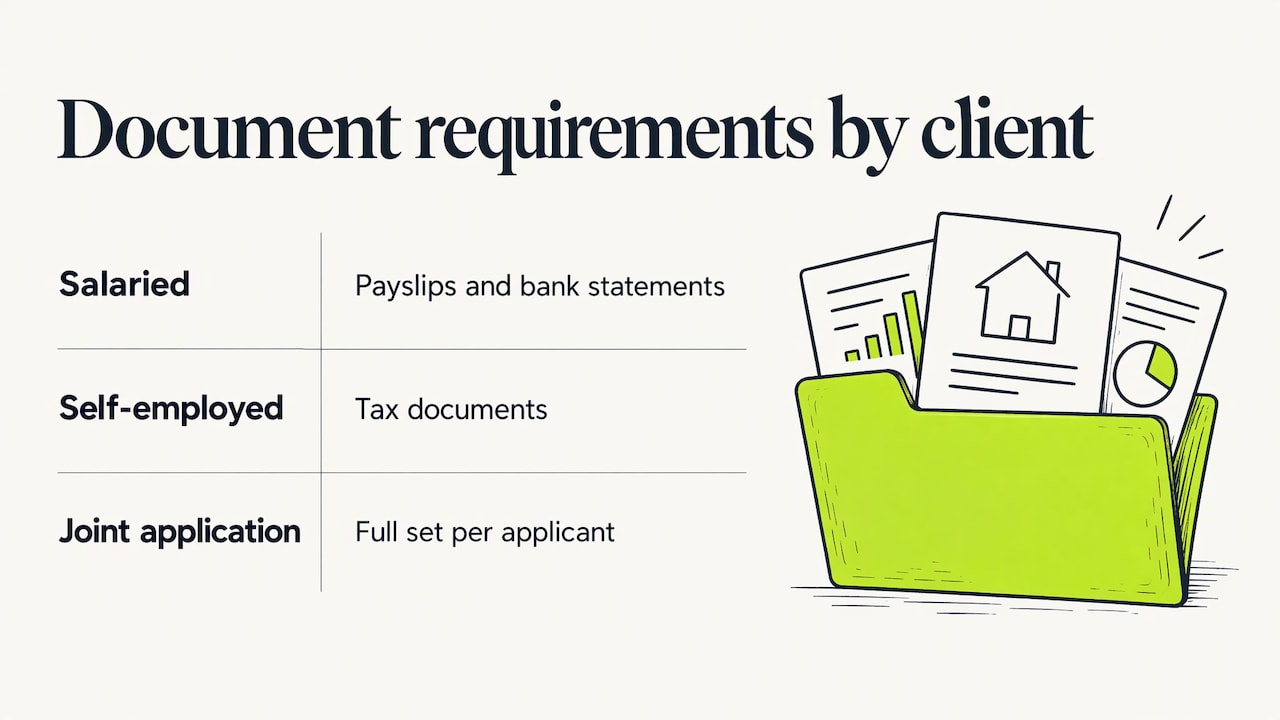
The list should follow how the client is paid. A salaried employee needs payslips and bank statements. A self-employed client needs tax documents. Joint applications need the full set for each person.
Where it goes wrong: advisers build lists from memory, and a rarely used document gets forgotten. The error surfaces only when the lender asks.
What Casefile does: the platform builds document lists itself based on the client's payment type, and it supports multiple applicant types. The broker does not assemble each list by hand. For joint cases, see our broker's guide to multi-applicant documents.
Step 2: Collect documents in one place
Documents that arrive by email, text message and photo are the main reason batches cannot be approved quickly. Each one has to be saved, renamed, matched to a case and checked for completeness before anyone reviews it.
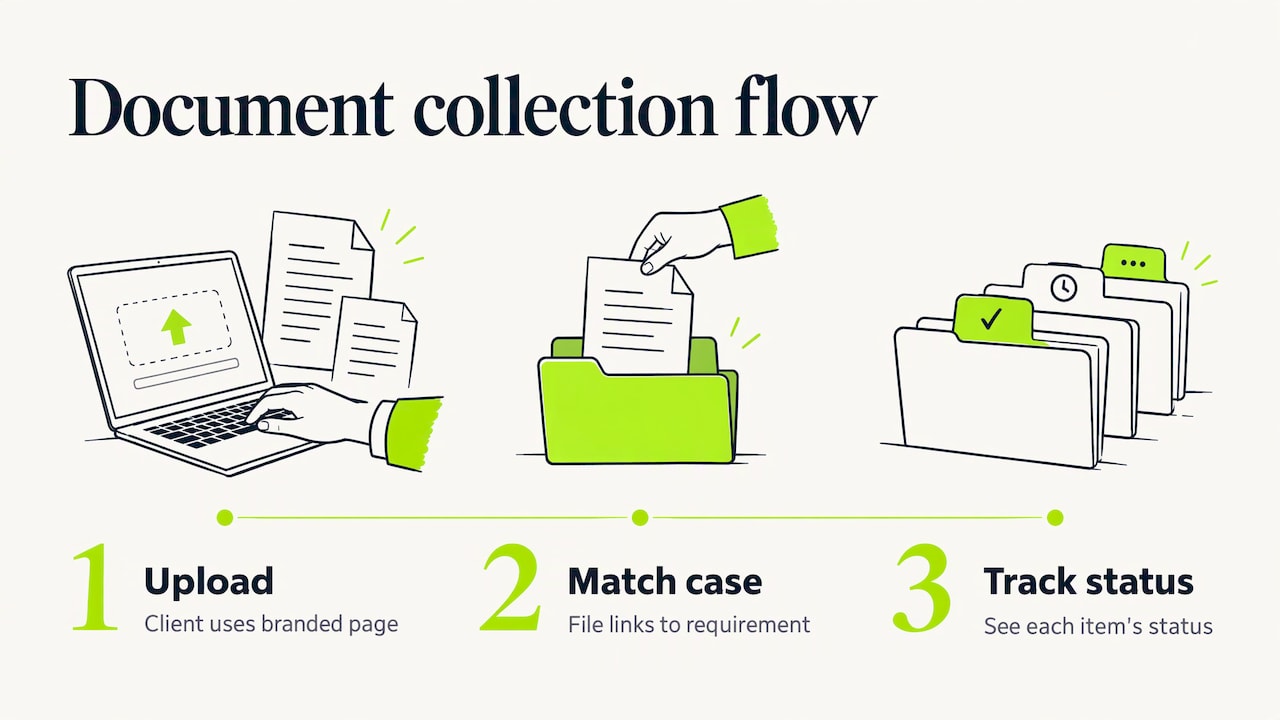
A single upload route changes this. The client uploads through a branded page, the document lands against the right case and the right requirement, and the status of each item is visible without searching an inbox.
Where it goes wrong: clients photograph pages at an angle, send partial statements or upload the wrong month. Without validation at the point of upload, the broker finds out days later.
What Casefile does: it automates document collection from clients and integrates the brokerage's own branding, so the client sees the brokerage and not a third-party tool. The mechanics are set out in our guide to automated document collection for UK brokers and the six stages of a mortgage onboarding workflow.
Step 3: Run automatic checks before anyone reviews
This is the step that makes a bulk approval defensible. Before a document reaches the queue, it should be checked for:
- Authenticity and tampering. Altered figures or edited PDFs.
- Wage matching. Whether the salary on a payslip appears as a deposit on the bank statement.
- Undeclared commitments. Loan, credit card or finance payments that the client left off the fact find.
- Consistency. Names, addresses and dates that agree across ID, utility bills and statements.
Casefile cross-checks bank statements, payslips, tax forms, ID and utility bills, verifies authenticity, detects tampering, matches wage deposits and flags undeclared financial commitments. The aim is that these issues surface before the case goes to a lender, not after.
The documents that pass are the batch you approve. The ones that fail go elsewhere.
Step 4: Split the queue into clean batch and exceptions
A queue with one undifferentiated list forces the adviser to open everything. A split queue lets them act at the right speed on each part.
| Queue | What goes in | Action |
|---|---|---|
| Ready to approve | Documents that passed every automatic check | Approve as a batch |
| Needs client action | Missing, unreadable or wrong-period documents | Request again with a clear instruction |
| Needs adviser judgement | Mismatched deposits, undeclared commitments, unusual income | Review individually, record the decision |
| Rejected | Documents that cannot be used | Reject with a reason the client can act on |
The rule that protects you: a document is eligible for batch approval only if nothing was flagged on it. If the batch can include flagged items, the speed gain turns into risk.
Casefile manages document approval queues, so the adviser can see what is waiting and why. For the controls that keep a queue under control, see approval queue management for UK mortgage brokers.
Step 5: Route approvals to the right person
In a small brokerage, the adviser often approves their own cases. In a larger one, a paraplanner or case manager reviews documents and the adviser confirms. Routing decides who sees which queue.
Two principles help:
- Route by task, not by job title. The person who checks identity documents is not necessarily the person who judges affordability. Permissions should follow the task. Our piece on role-based access control for UK brokers explains why tasks beat titles.
- Keep a second pair of eyes for exceptions. A flagged commitment may need the adviser who knows the client, not whoever is free.
A sequential chain of approvers suits formal sign-off in other industries. For brokers, one reviewer on the clean batch and a named adviser on exceptions is usually enough, and easier to run.
Step 6: Record every decision
Bulk does not mean unrecorded. Each approval should show who approved, when, which document and which version. If a client uploads a replacement statement, the earlier one should remain visible and the approval should attach to the version that was actually reviewed.
This is standard in formal document systems. A 2026 procurement specification from AOAC, for example, calls for version control and time-stamped audit trails recording who accessed, modified, approved or commented on a document and when. The same logic applies to a broker's file. If a lender, compliance reviewer or auditor asks why a case was passed, the record answers the question.
Casefile emphasises clear audit trails as part of its approach. Our guide to five document approval controls that auditors can trace goes into the detail.
Step 7: Handle exceptions without stalling the case
Exceptions are where cases are lost or delayed. Three habits keep them moving:
- Say exactly what is wrong. "Please resend" produces another bad upload. "The statement for March is missing page 2" produces the right one.
- Chase on a schedule. Set a fixed interval for reminders, and make the status of each outstanding item visible to the client as well as the adviser.
- Document the explanation. If a deposit has an innocent reason, such as a gift or a refund, record the explanation next to the flag so the next reader does not repeat the query.
Clear communication with the client is a stated part of Casefile's design: the platform is built to require minimal technical learning, and client messages stay clear and straightforward.
Protecting client data when approving in bulk
Approving documents in volume means handling a great deal of personal and financial data at once. Under the UK GDPR, the security principle requires personal data to be processed with appropriate technical and organisational measures, covering confidentiality, integrity and availability. In practice, for a brokerage that means:
- access limited to the people who need each case;
- a clear record of who opened what;
- no documents sitting in personal inboxes or on local drives;
- knowing where the data is stored and who handles it.
Casefile keeps data under UK-only residency, with no manual or offshore data handling, and preserves applicant privacy. The detail is on the page explaining how Casefile handles your documents.
Keep human oversight where it counts
Automation should remove repetition, not responsibility. The adviser remains accountable for the recommendation and for what is submitted to the lender. The practical split is:
- Automate: collection, chasing, format checks, cross-checks, status tracking, queue sorting.
- Keep with a person: judging affordability, interpreting an unusual income pattern, deciding how to treat an explained discrepancy, and approving the final submission.
Our guide to what to automate and what to keep in mortgage broker automation draws the line in more detail, and the steps from structured data to lender submission are in mortgage document automation.
Introducing bulk approval in a small team
The most common failure is automating a process that was already broken. If advisers disagree on what a complete case looks like, software will apply the confusion at speed. A sensible rollout:
- Write down the current process. List the documents requested, who checks them and when a case counts as ready to submit.
- Agree the definition of "clean". Decide what a document must pass before it can be approved in a batch.
- Start with one case type. Standard employed applicants are a good first group.
- Measure three things. Time from first request to complete document set, number of lender queries per case, and the share of documents approved without a flag.
- Widen gradually. Add self-employed and multi-applicant cases once the first group runs cleanly.
The measures need no special tooling: compare the same figures before and after, for a similar number of cases.
Our perspective
Brokers often ask us how to approve faster. We think the better question is how to reach the approval step with fewer surprises.
Speed in bulk approval comes from what happens before it. When documents are collected through one branded route, listed according to how each client is paid and cross-checked on arrival, the adviser's queue is mostly clean items and a short list of real issues. That is a different working day from opening every attachment.
We built Casefile for UK brokerages, with UK-only data residency, no manual or offshore handling and an audit trail behind every decision. Smaller firms feel the benefit most, because the hours saved on document checks go back to advice and client conversations.
The principle we hold to: the platform finds the discrepancies, and the adviser decides what they mean.
Darren
How Casefile supports bulk approvals
Casefile is a cloud-based platform for UK mortgage brokerages. It collects documents from clients, cross-checks bank statements, payslips, tax forms, ID and utility bills, flags discrepancies and undeclared commitments before lenders see them, and manages the approval queue under the brokerage's own branding.

To see how it fits your brokerage's process, visit Casefile.
FAQ
Is it safe to approve mortgage documents in bulk?
Yes, when only documents that passed every automatic check are eligible for the batch. Anything flagged, such as a mismatched wage deposit or an undeclared commitment, is reviewed individually and the decision is recorded.
Does bulk approval replace the adviser's judgement?
No. It removes repetitive checking so the adviser's time goes to the cases that need judgement. The adviser stays responsible for what is submitted to the lender.
What should a decision record contain?
It should show who approved or rejected the document, when, and which version they reviewed, plus any comment explaining an exception. This is the same standard that formal document systems apply through version control and time-stamped audit trails.
How does a small brokerage start?
Begin with one common case type, such as standard employed applicants. Define what a clean document looks like, then track time to a complete file, lender queries per case and the share of documents approved without a flag before extending to other case types.
Sources
Recommended
- Document Intake Forms for UK Mortgage Brokers: A Practical Guide
- Approval Queue Management for UK Mortgage Brokers: 6 Controls
- Automated Document Collection for UK Mortgage Brokers
- Audit Readiness for UK Mortgage Brokers: 6 Steps
This article was generated with AI, and whilst it is our expectation that the article is accurate, it should not be taken as advice.